Set Up an HTTP/HTTPS Proxy
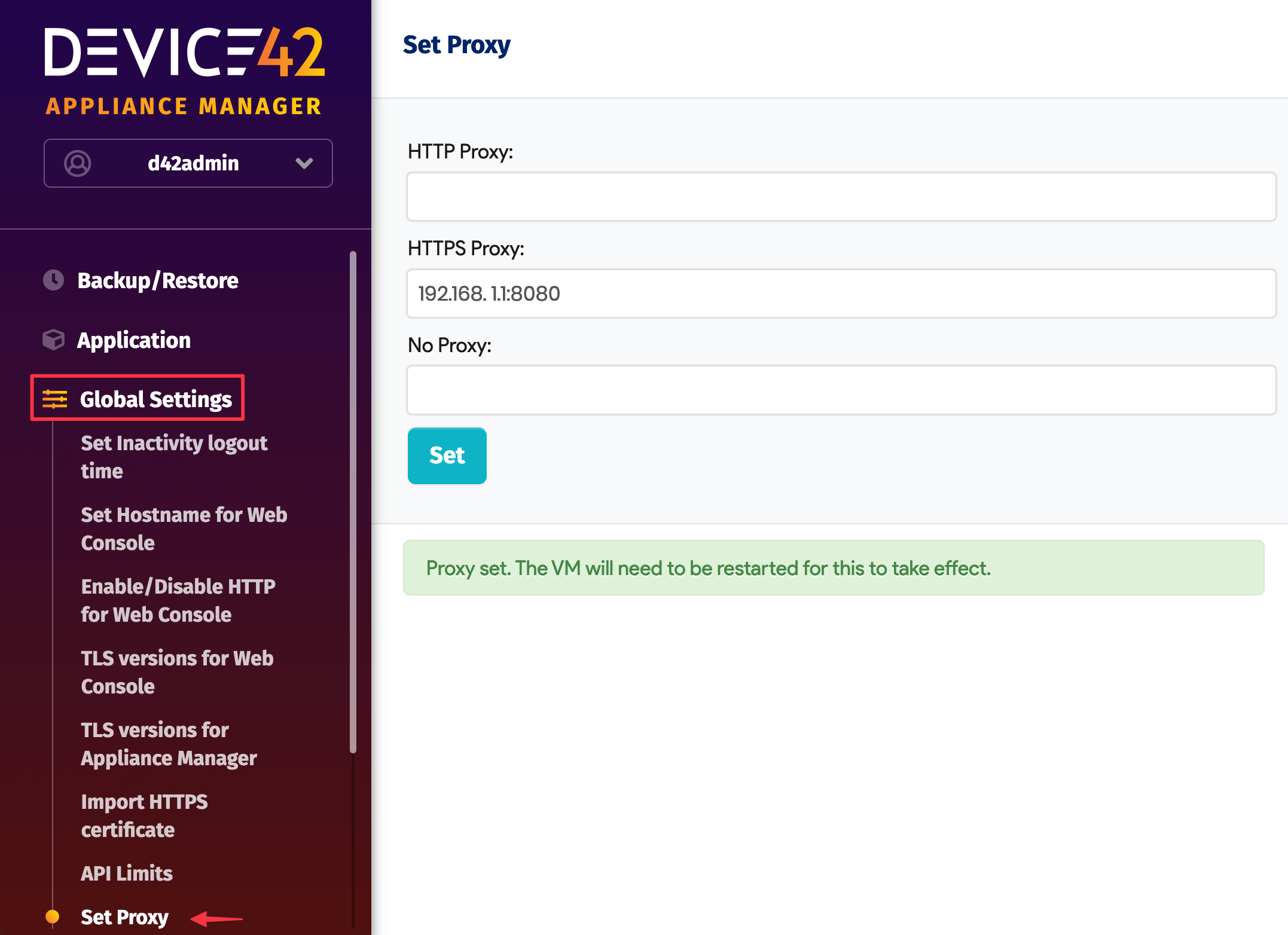
You can configure a proxy for outbound HTTP and HTTPS connections from the Device42 Appliance Manager. This page covers how to set or remove the proxy.
Configure the Proxy
- Navigate to Global Settings > Set Proxy and enter the proxy server IP address in the appropriate fields.
- Click Set.
- Restart the virtual machine for the proxy to take effect.
To remove the proxy, clear the field, click Set, and restart the virtual machine.