Advanced Routing
You can add or delete complex routing for your Device42 appliance using the virtual machine (VM) console menu. This page explains how to add a new route and apply it.
Add a New Route
-
Log in to the Device42 VM console.
-
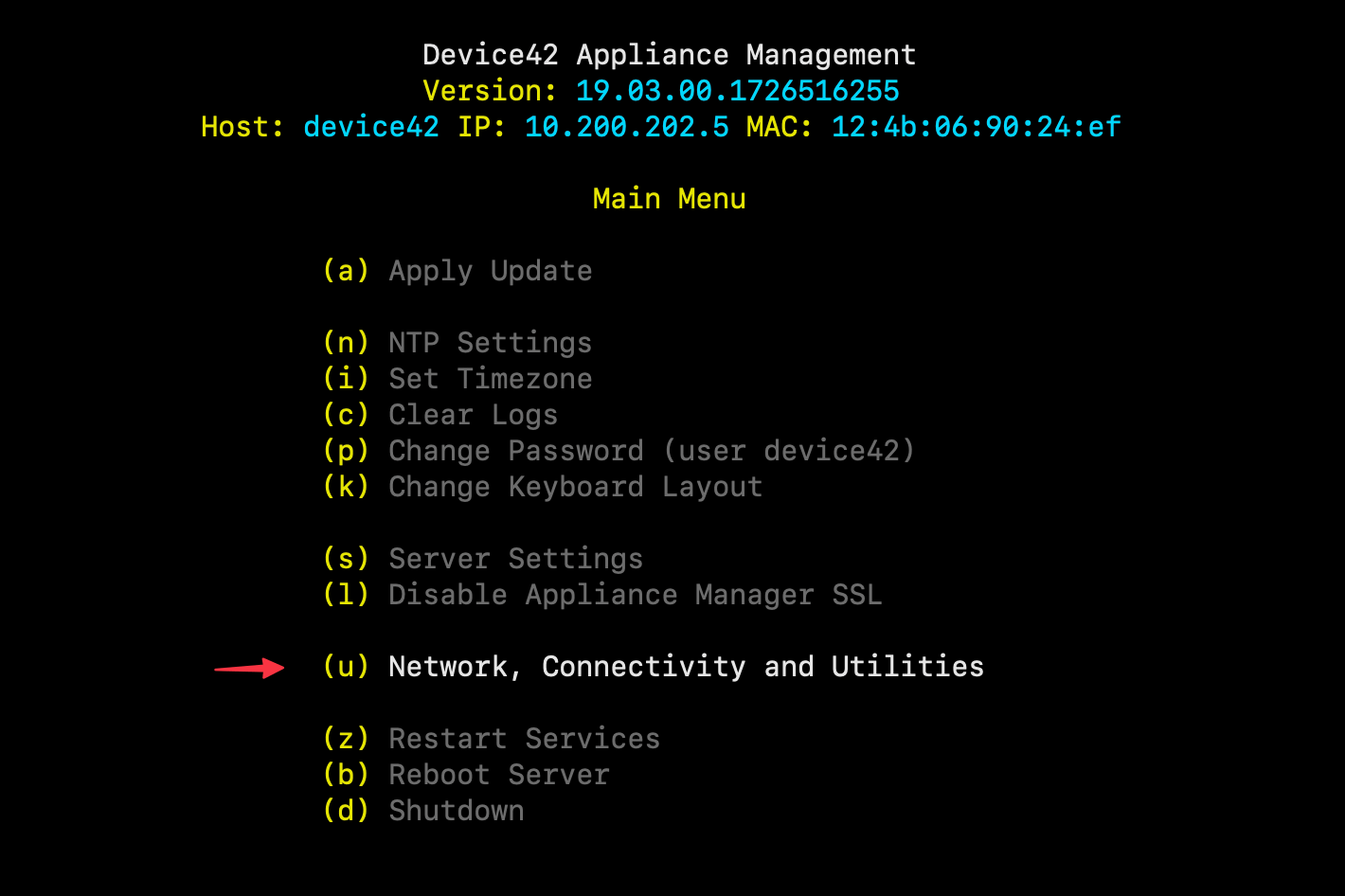
Select (u) Network, Connectivity and Utilities.
-
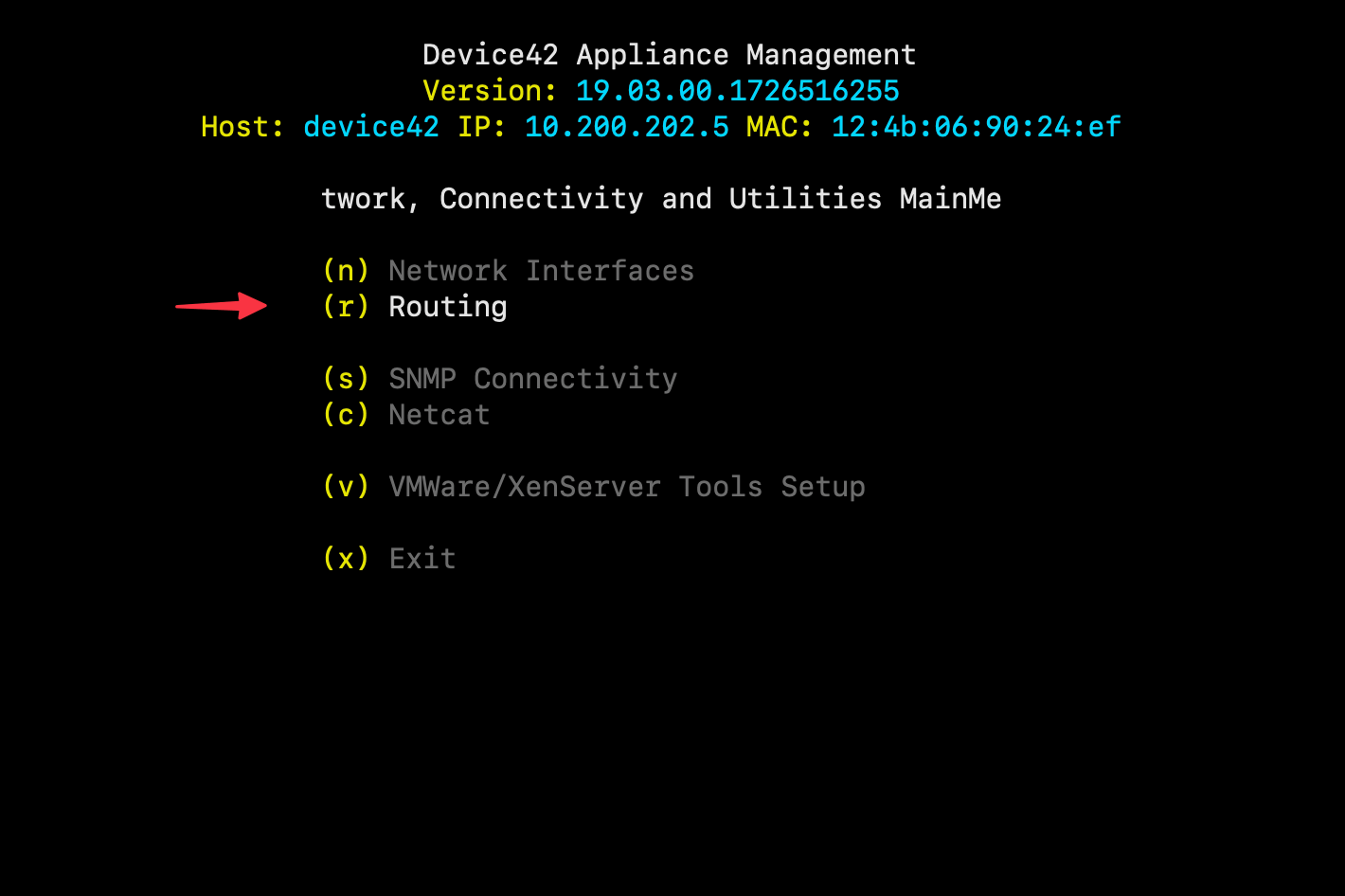
Select (r) Routing.
-
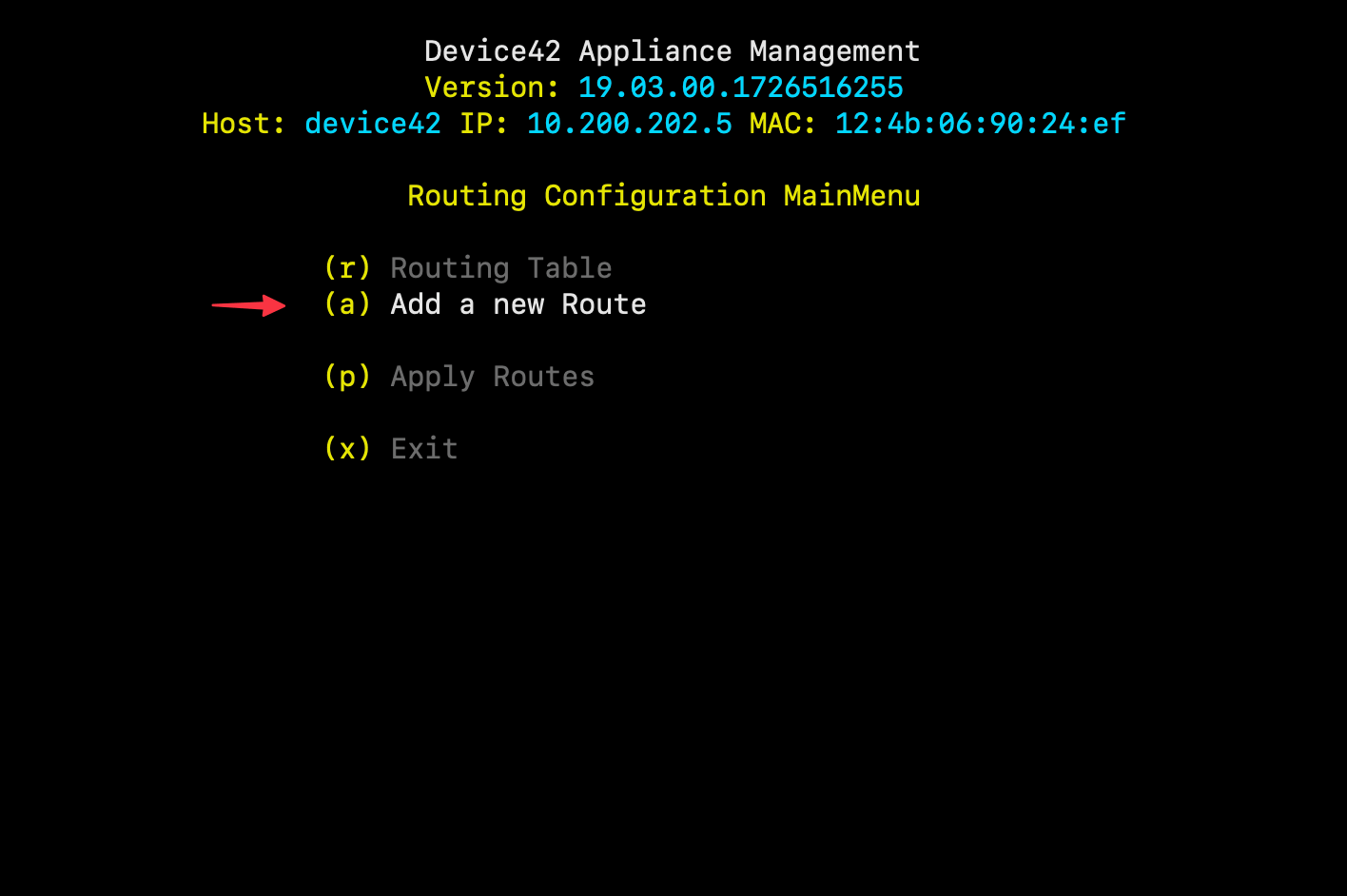
Select (a) Add a new Route from the Routing Configuration Main Menu.
-
Fill in the new route details and click Add Route. Use the
Tabkey to navigate to the next field.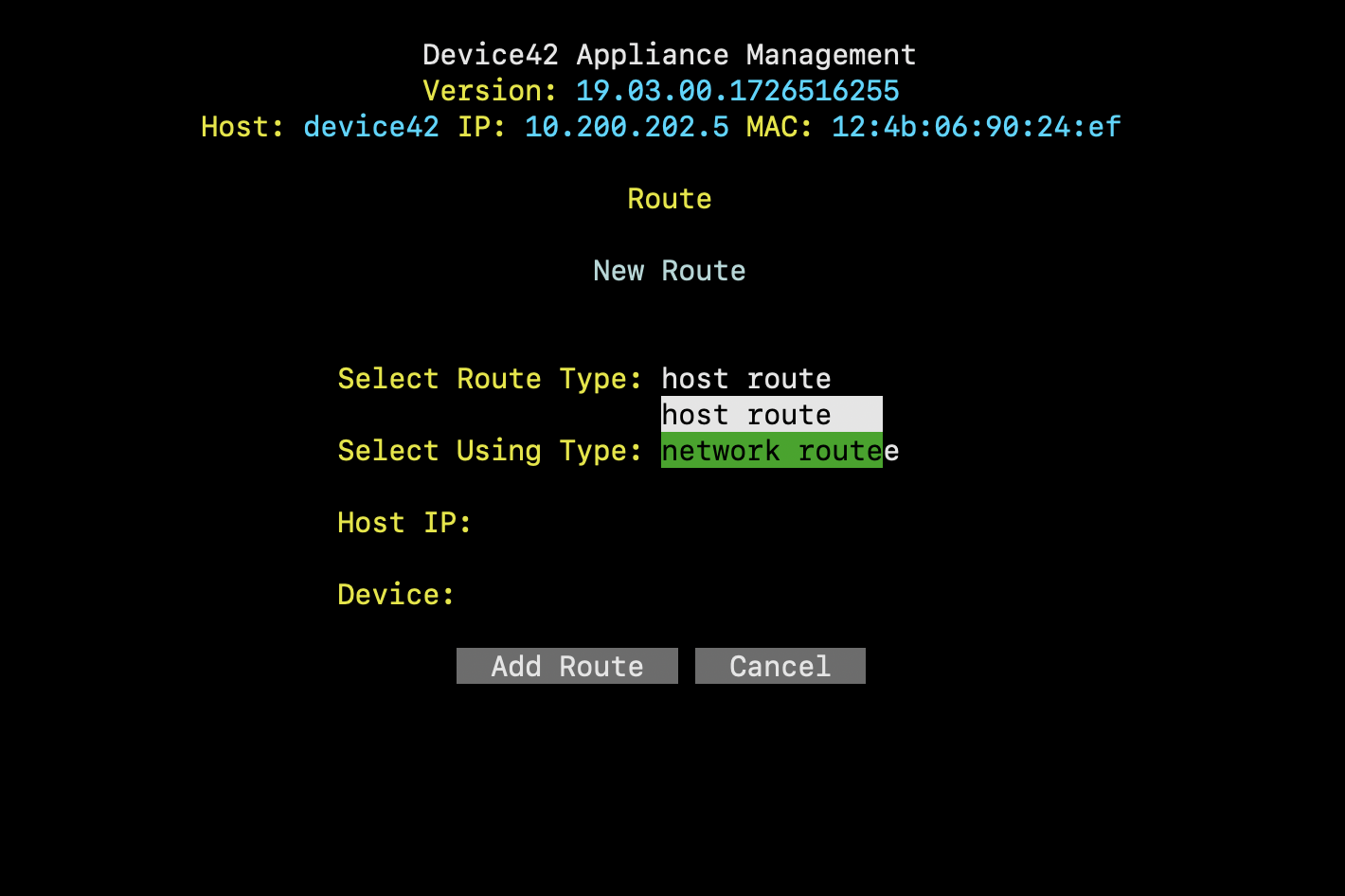
-
Select (p) Apply Routes from the previous menu to apply the changes.
note
The Device42 VM must be manually rebooted to clear deleted routes.