Signed Mac Agent
The signed Mac Agent is a notarized binary for running agent-based discovery on macOS machines. Use it when you need a signed executable that can be deployed via MDM solutions like JAMF.
This page covers how to install and run the signed Mac Agent.
Install the Signed Mac Agent
-
Download the Signed Mac Agent for Discovery from https://www.device42.com/autodiscovery/ for Intel or Apple Silicon macOS machines.
-
Download the Encrypted config file for Agent from the Device42 Main Appliance under Discovery > Agent Based Scans.
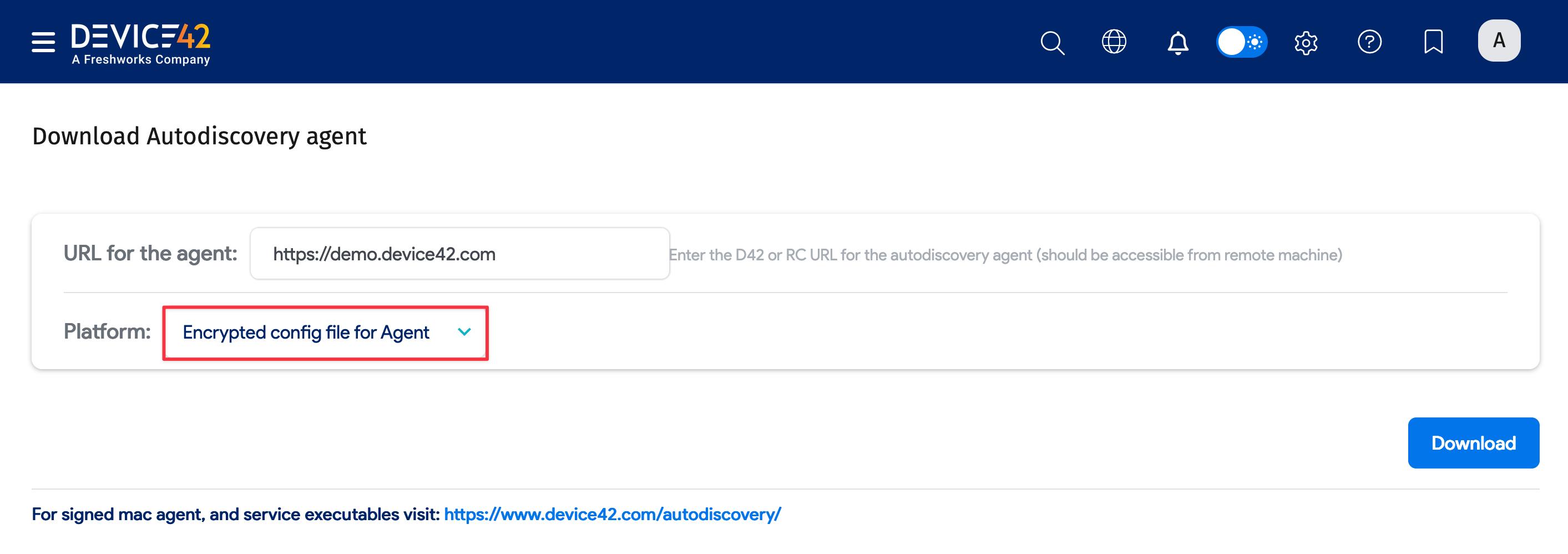
The config file contains an encrypted URL and a public key with other data needed for discovery. It uses AES-256-bit encryption.
Run the Agent
To run the signed Mac Agent:
- Unzip the notarized binary file.
- Store the config file on the file system.
- Run the binary with the config file:
(sudo) <executable name> --config-file=<path>/d42_agent_config
Enterprise customers can deploy the agent via JAMF or other MDM solutions.
Usage Notes
Keep the following in mind when using the signed Mac Agent:
- The
--config-fileswitch only works for this executable and does not work for agent executables downloaded from the Main Appliance. - All other switches, such as overriding the host, work for both this executable and agents downloaded from the Main Appliance.
- The signed Mac Agent does not auto-update, as that would break the signing. Update it manually or via MDM solutions.
Troubleshooting
If the file doesn’t run, clear the quarantine attribute by running:
xattr -d com.apple.quarantine <executable name>